A lower price for our first resort and first hostel. Ask whether it is still open.See pricing

One app for resorts, hotels and hostels in the Philippines

Take back your guests.

  • Your website, included. Your rooms, photos and prices, on a page you can share on Facebook.
  • Your guests’ app. A code in each room opens it: Wi-Fi, tours, your front desk.
  • Your office, on your phone. Every guest’s name, with their WhatsApp or email. Tour bookings on your WhatsApp.
  • ₱1,000–3,500 a month by number of rooms, plus ₱18,000 to set up, once. No commission.
Ask on WhatsApp

For one resort, hotel or hostel, of any size.

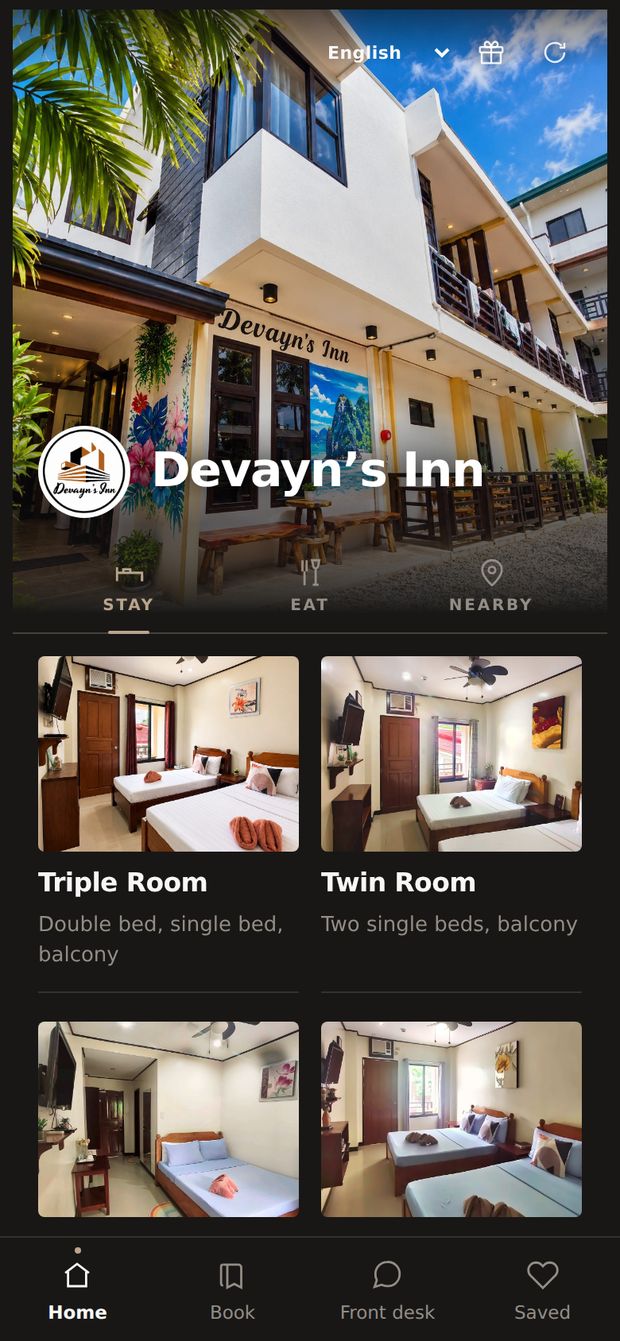
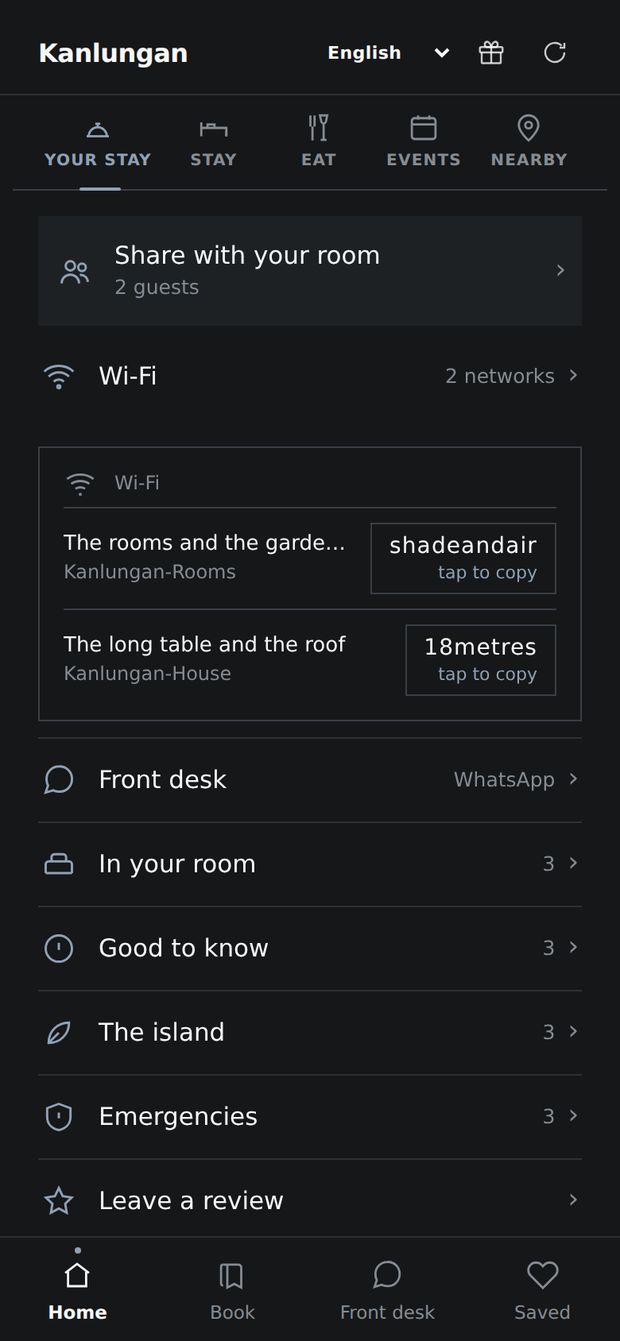
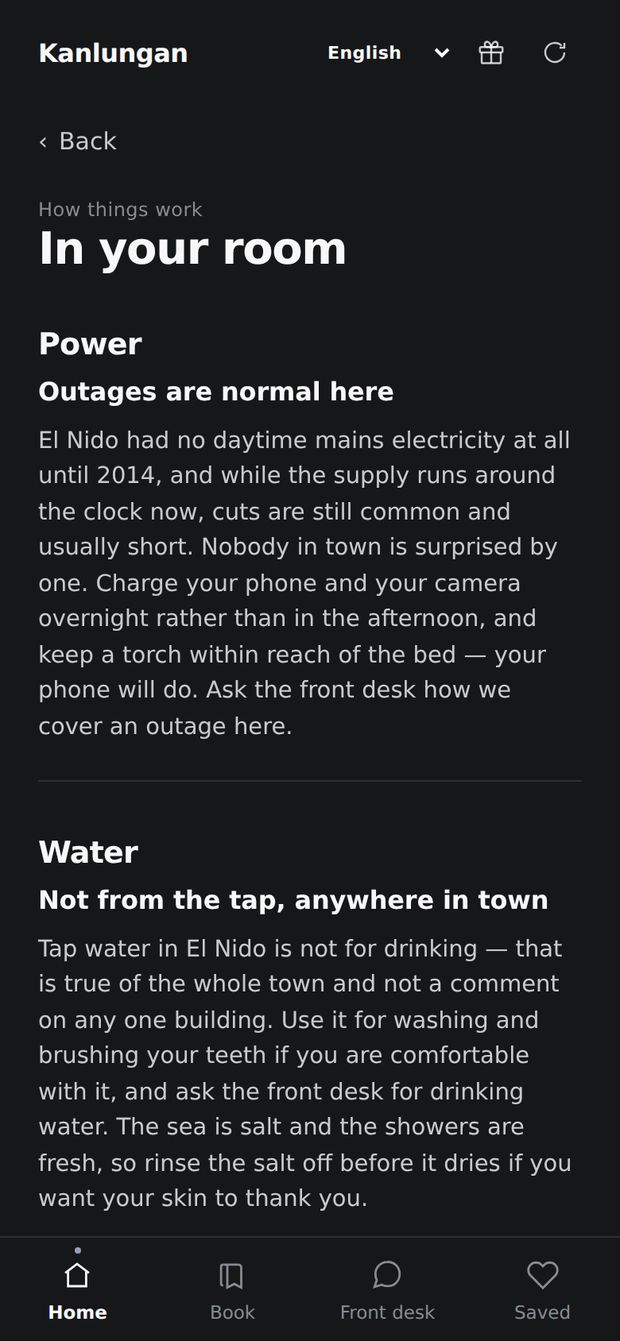
The guest app’s home screen: the hotel’s photograph and name, Wi-Fi, front desk and room shortcuts, and its rooms with photographs. An island-hopping tour open in the app, with photographs, the price and a WhatsApp button that books it with the hotel. The hotel’s kitchen in the app: a photograph, opening times and a description. The in-room guide: how the power and the water work, answered on the guest’s phone.
Where a guest lands, from the QR in the room
Live at Devayn’s InnMy mother’s inn in El Nido runs on it
Scan and it opensNo app store, no account, no download
Your guest listKept in your own Google account
Seven languagesYour content translated with one tap

Where it runs today

My mother’s inn runs on it.

My mother runs Devayn’s Inn in El Nido, and she runs it on this app. It is the same app you would get, not a special version.

  • Her guests scan the card at the front desk and sign in on their own phones.
  • The desk approves them on the desk phone.
  • Her rooms, photographs and tour prices are her own.
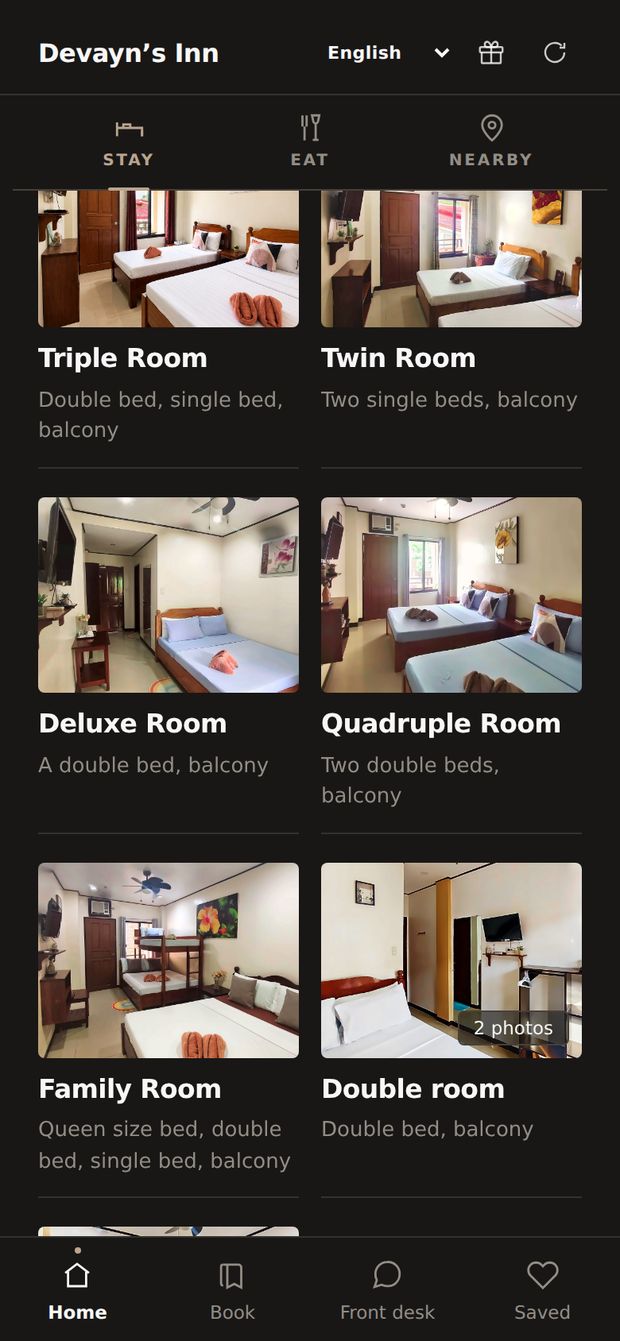
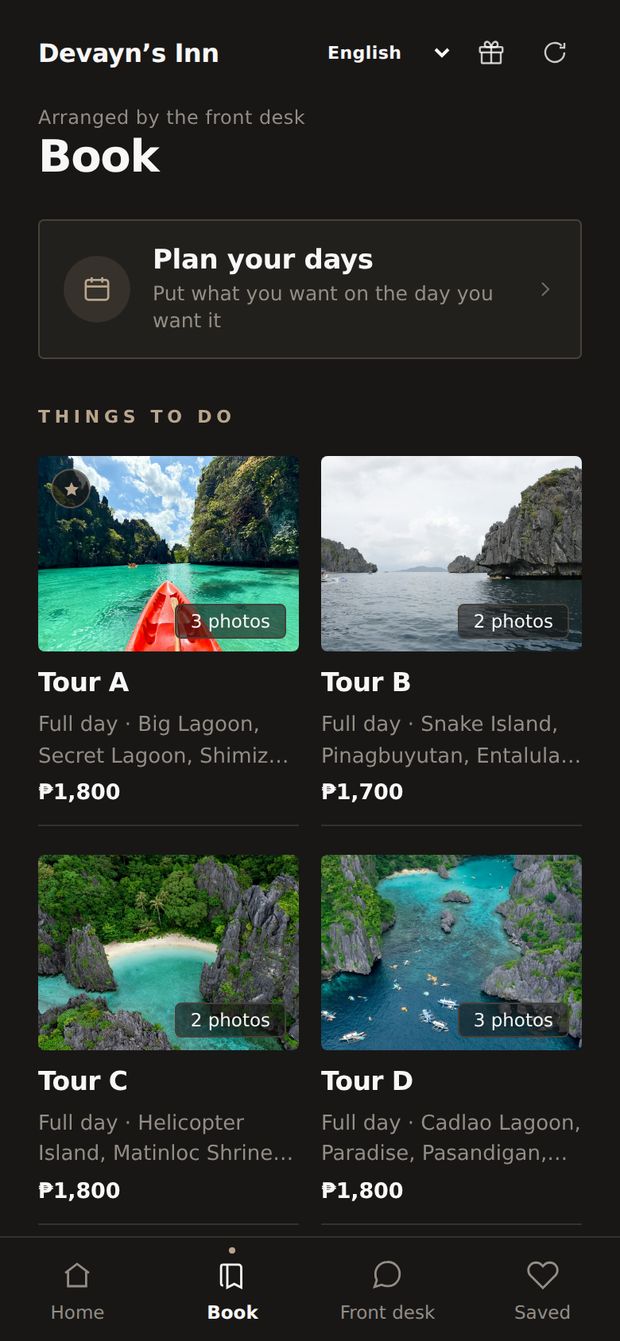
Devayn’s Inn’s own app: her photograph of the inn with its sign, her logo, and her rooms.Devayn’s Inn’s rooms in her app: triple, twin, deluxe, quadruple, family and double rooms, each with a photograph.Devayn’s Inn’s Book tab: island-hopping tours A to D with her prices.

1 of 3: Her home screen

Part 1 of 6

What it does

Your website, your guests’ app and your office, card by card.

All parts ↑
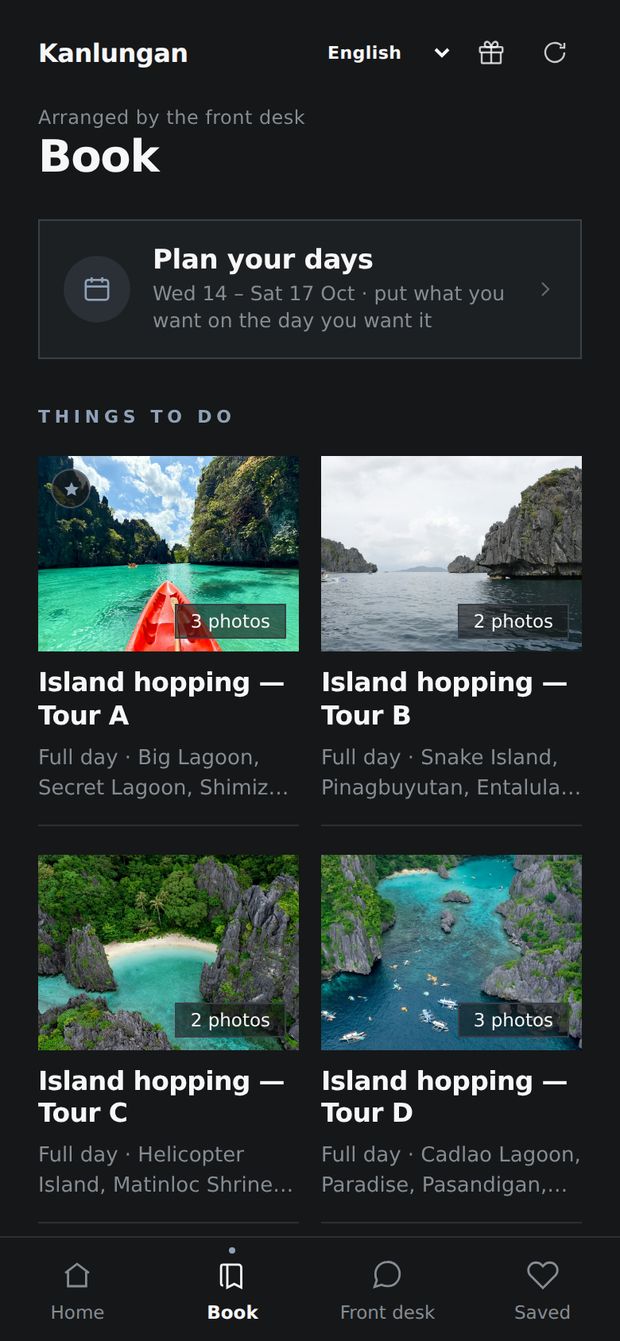
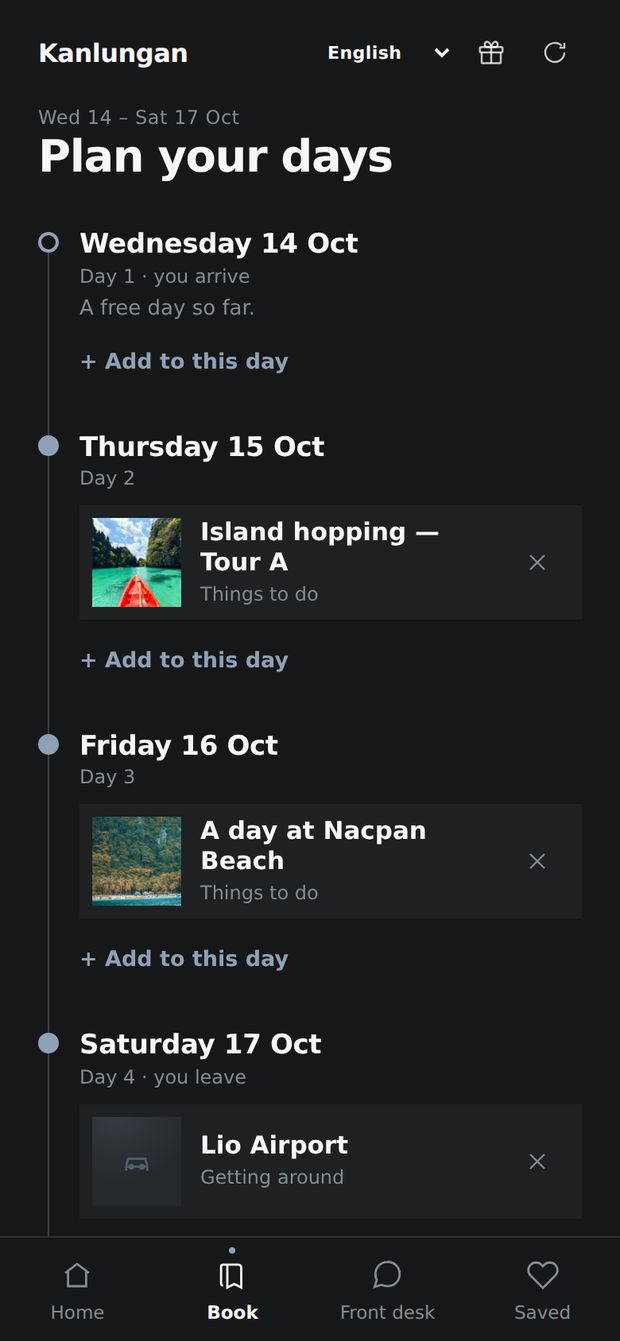
The Book tab: four island-hopping tours with photographs.One tour open, with a green WhatsApp button to the front desk.The guest's plan: Tour A on Thursday, the beach on Friday, the airport van on Saturday.

Book · your guests see

Tours booked with you.

Guests book your tours, not the ones on the street. Bookings come to your WhatsApp.

Two Wi-Fi networks with their passwords, each copied with one tap.In your room: how the power and the water work.

Your stay · your guests see

No more Wi-Fi questions.

Wi-Fi, house rules and emergency numbers on the guest’s phone. Nothing to download.
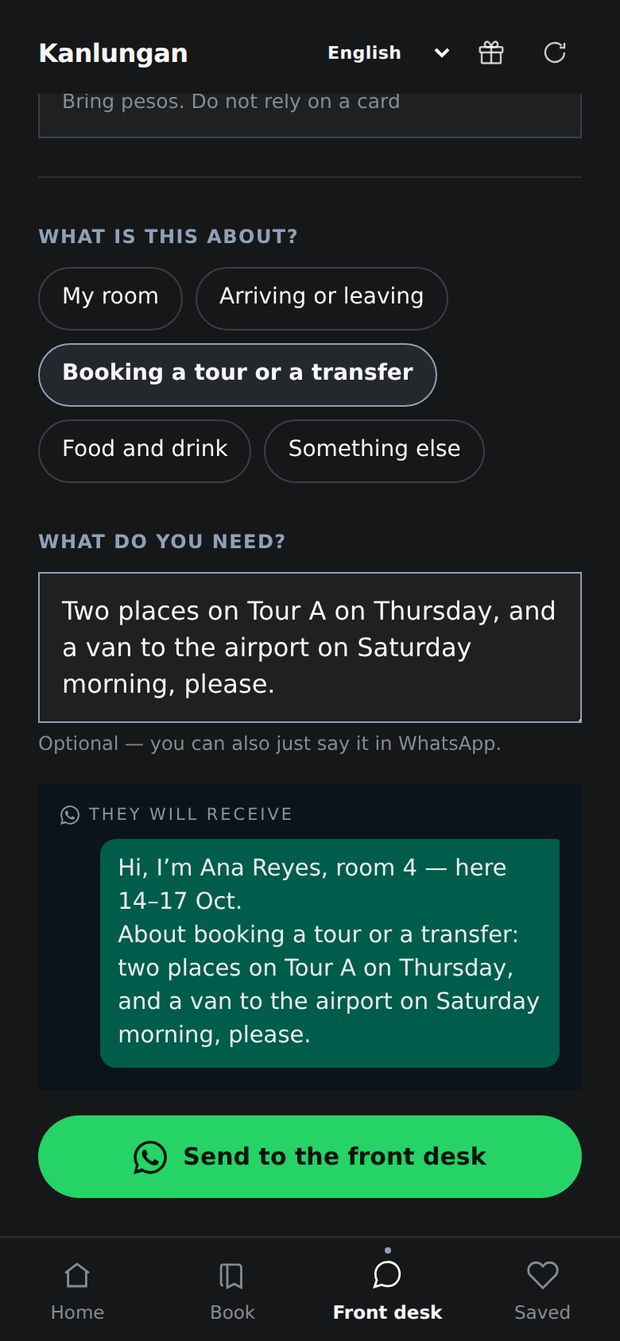
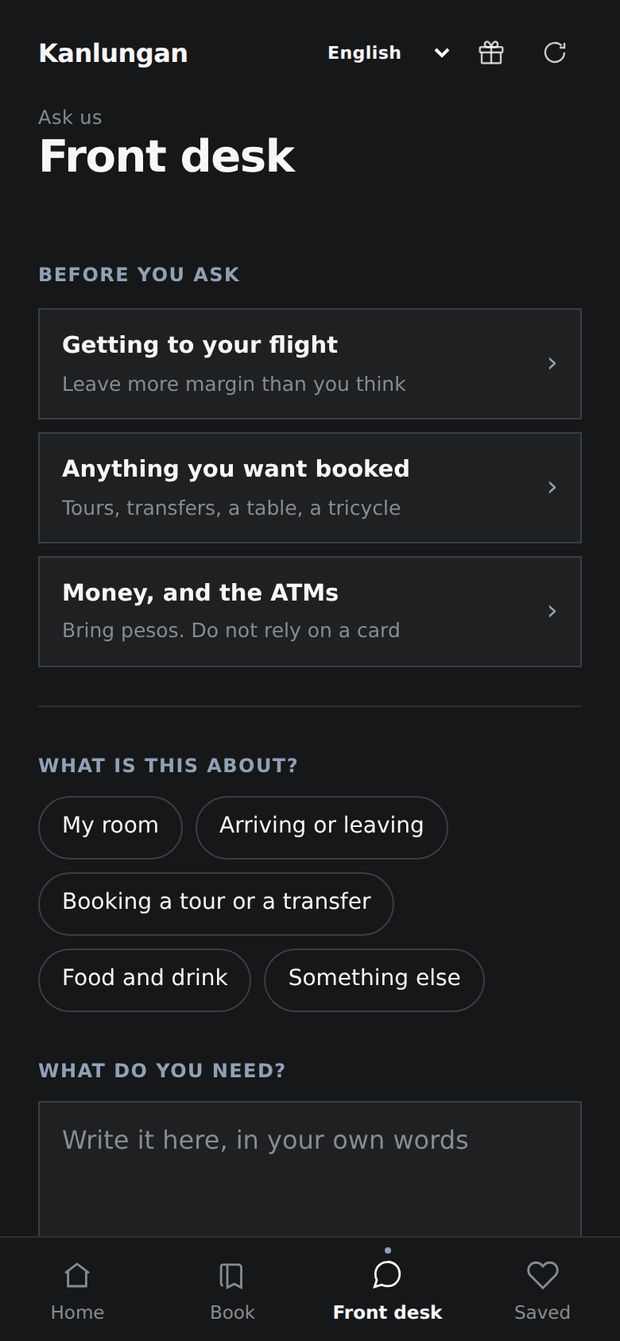
A guest's request, with the exact message the front desk will receive: name, room, dates and the request.The Front desk tab: common answers first, then the guest picks a topic.

Front desk · your guests see

Every request on WhatsApp.

Name and room number on top. You just answer.
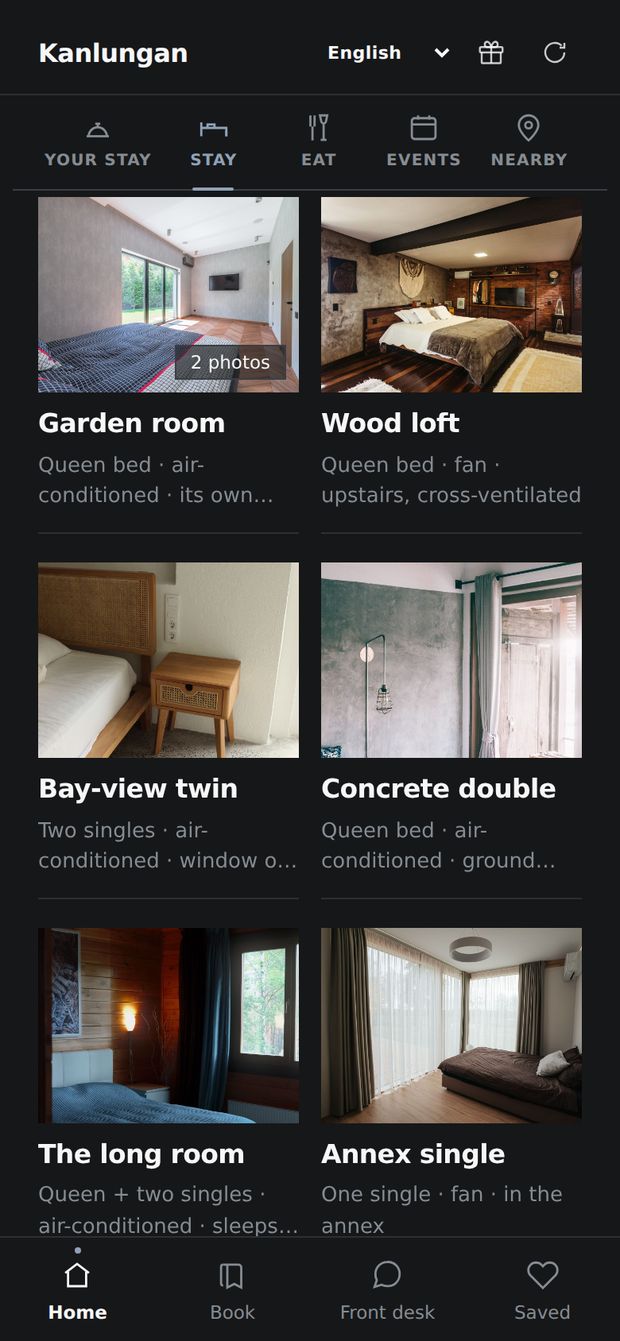
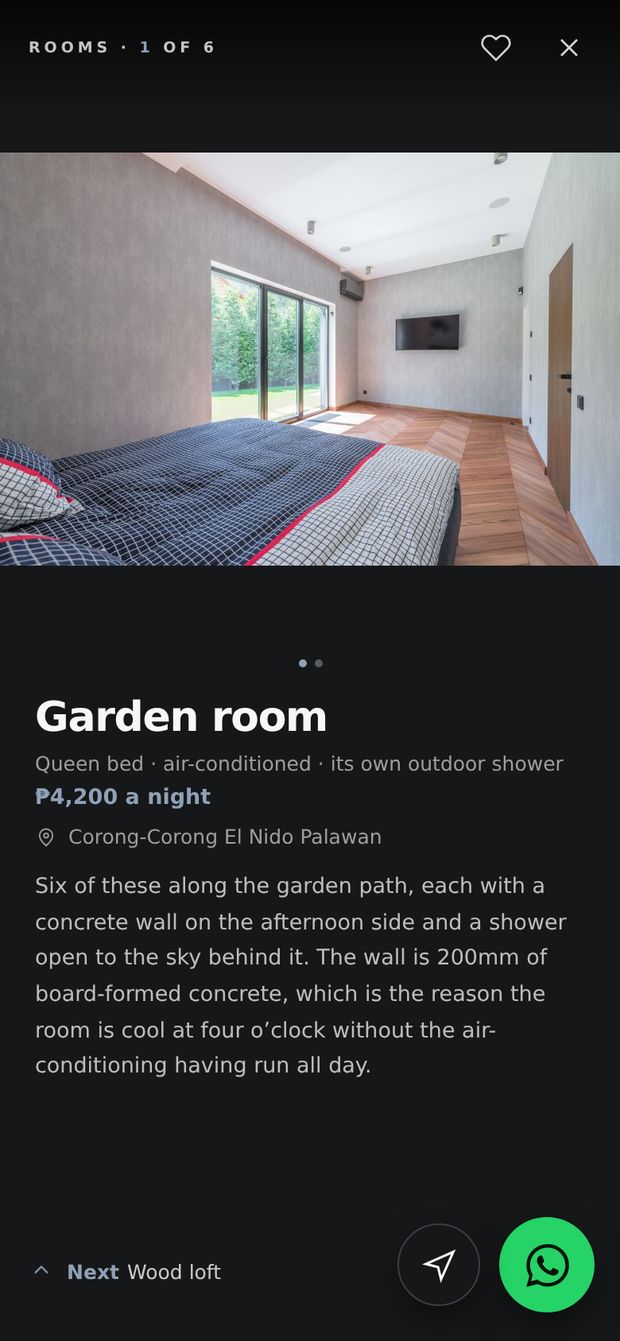
The hotel's rooms, each with a photograph.One room open, with its price a night.

Stay · your guests see

Your rooms, with photos.

Photos and prices. People can see them before they book, and message you. No booking site.

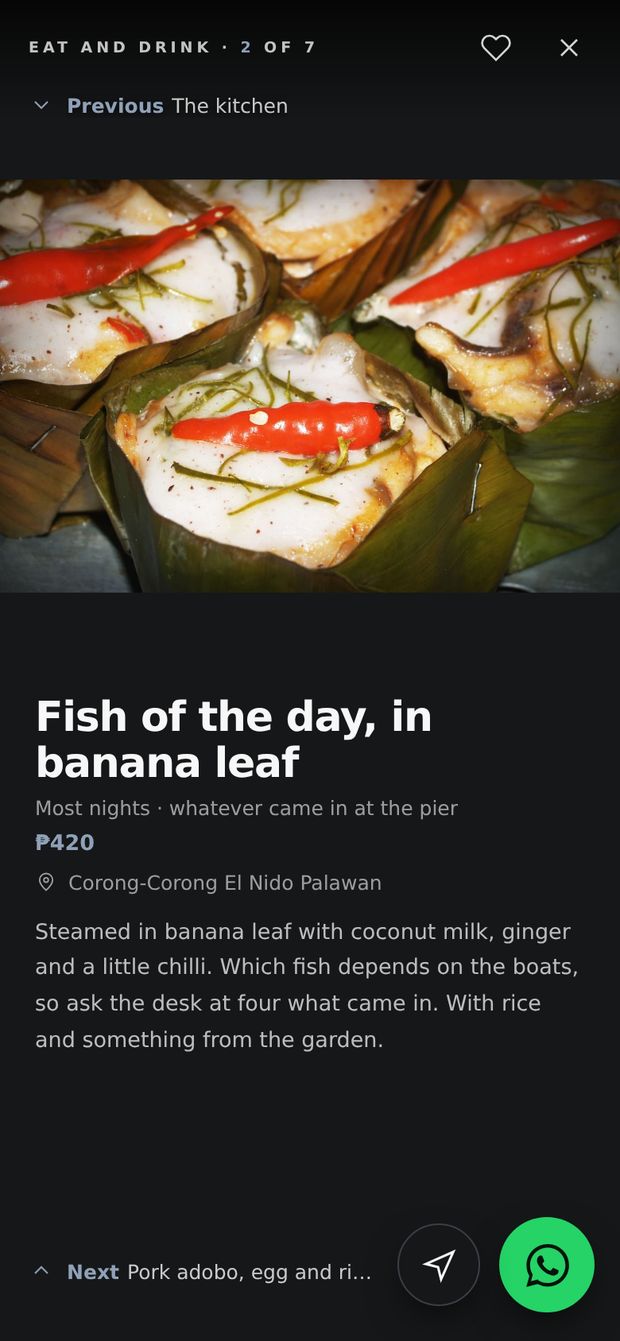
The kitchen and its dishes, each with a photograph.One dish open, with its price.

Eat · your guests see

Guests eat with you.

Your menu with photos and prices, one tap from the room.
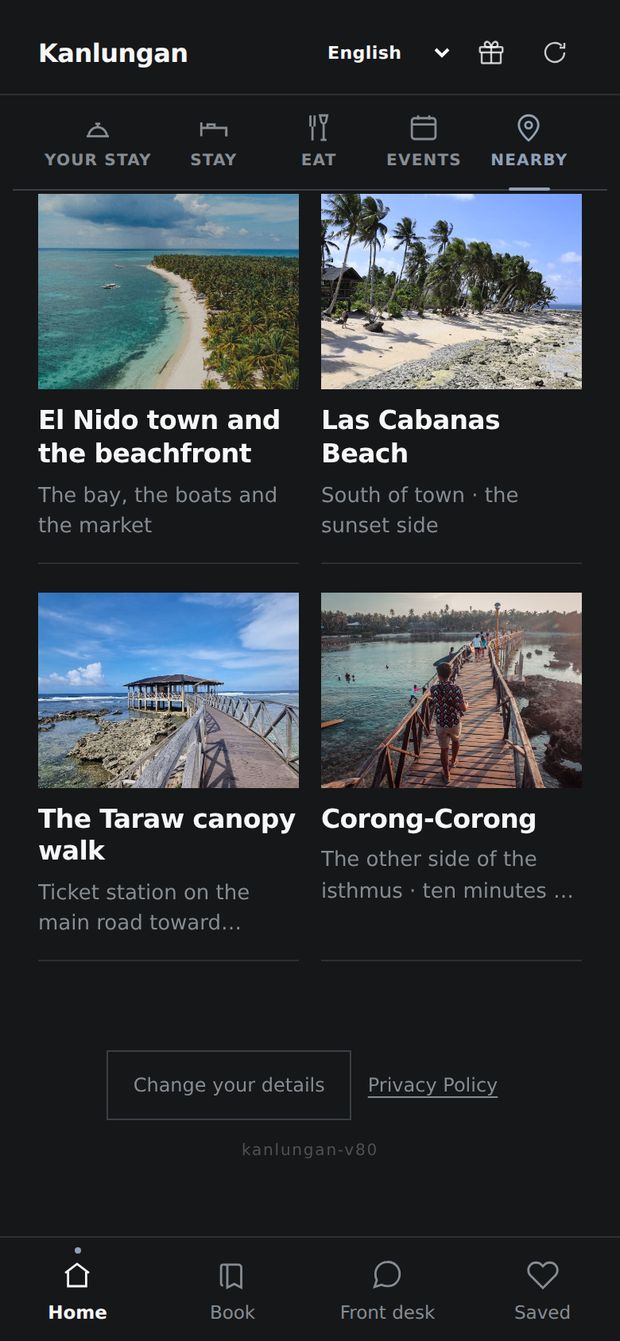
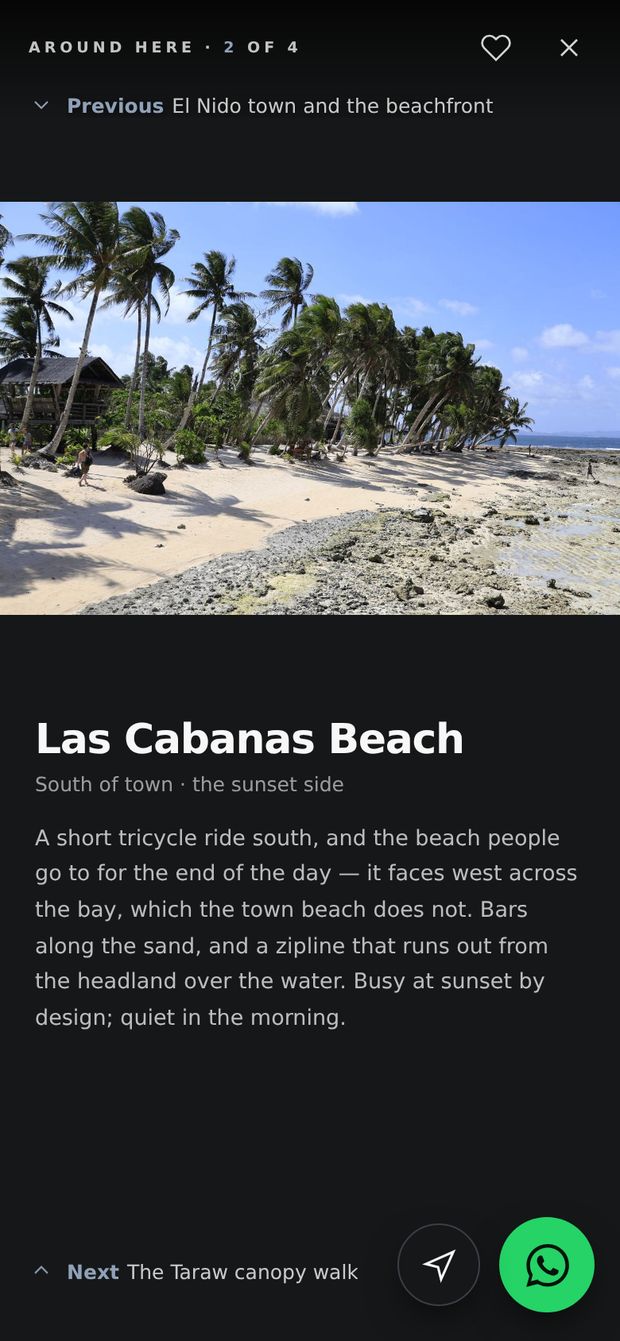
Beaches and places near the hotel, each with a photograph.One beach open, with the owner's advice.

Nearby · your guests see

Directions, written once.

Beaches, the ATM, the pier. Your staff stop explaining.
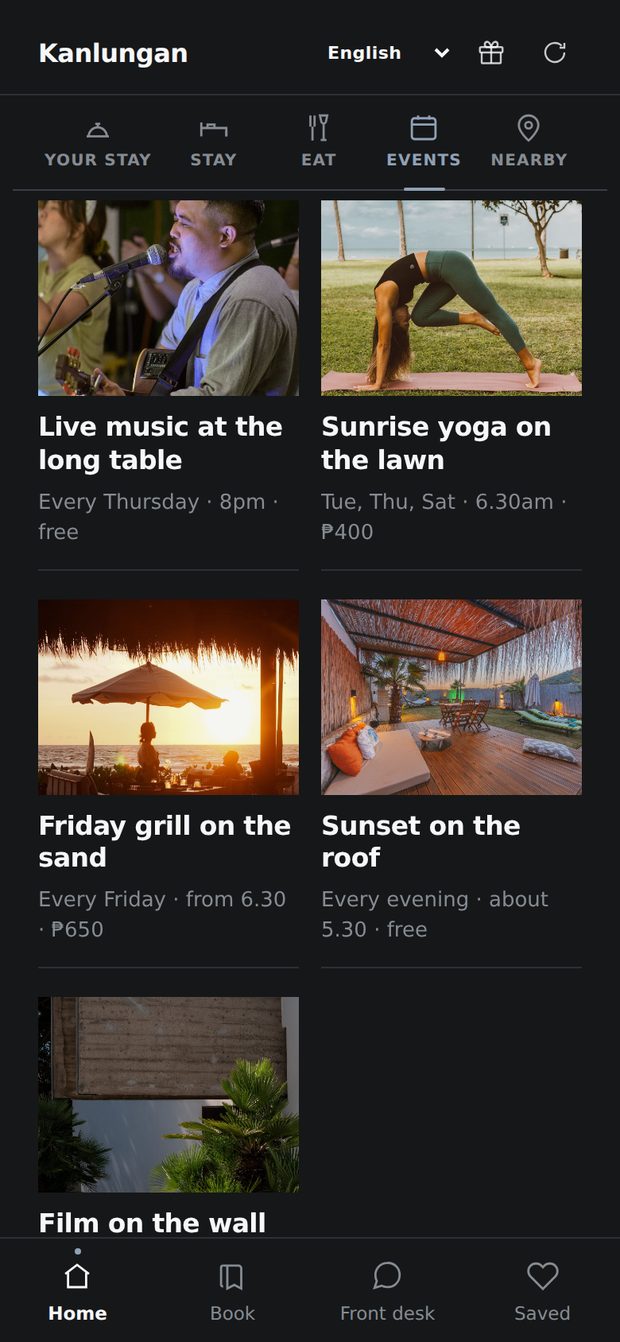
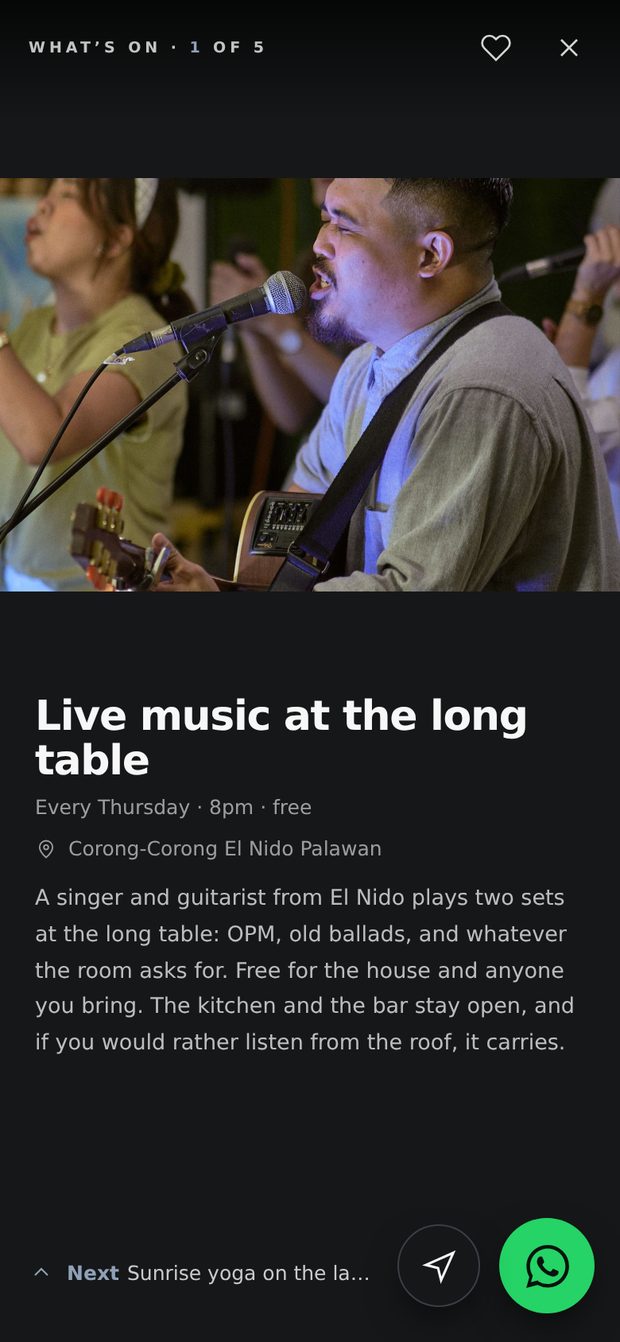
What’s on: live music on Thursdays, sunrise yoga on the lawn, a grill night, sunset on the roof and a film night, each with its day, time and price.The live music night open: a local singer and guitarist, every Thursday at 8pm, free, with a WhatsApp button to the front desk.

Events · your guests see

Tonight, on every phone.

Live music, sunrise yoga or a grill night, with time and price. No printing.

The owner's guest list: name, room, dates, and who needs approving.One guest open, with Approve and Coupons.Giving one guest a free coupon.

Guests · only you see this

Your own guest list.

Name, email, WhatsApp. Yours to keep. When a guest checks in, your desk taps Approve. This gives them the free gifts you choose, like a coffee.
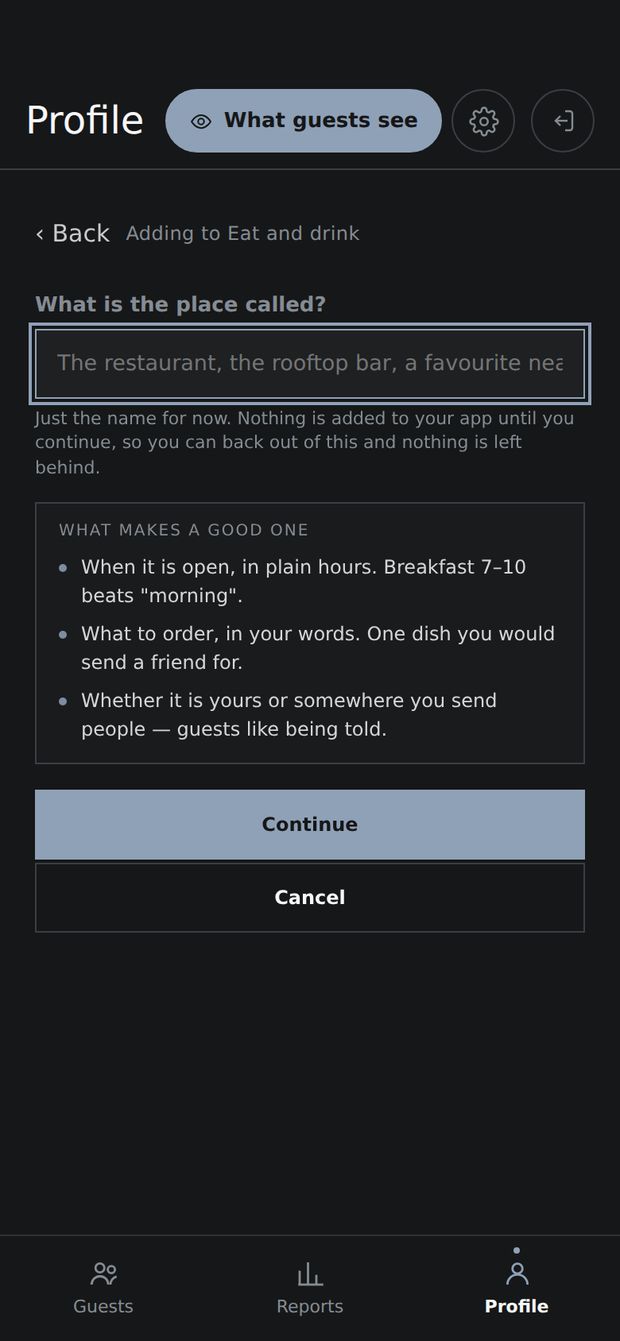
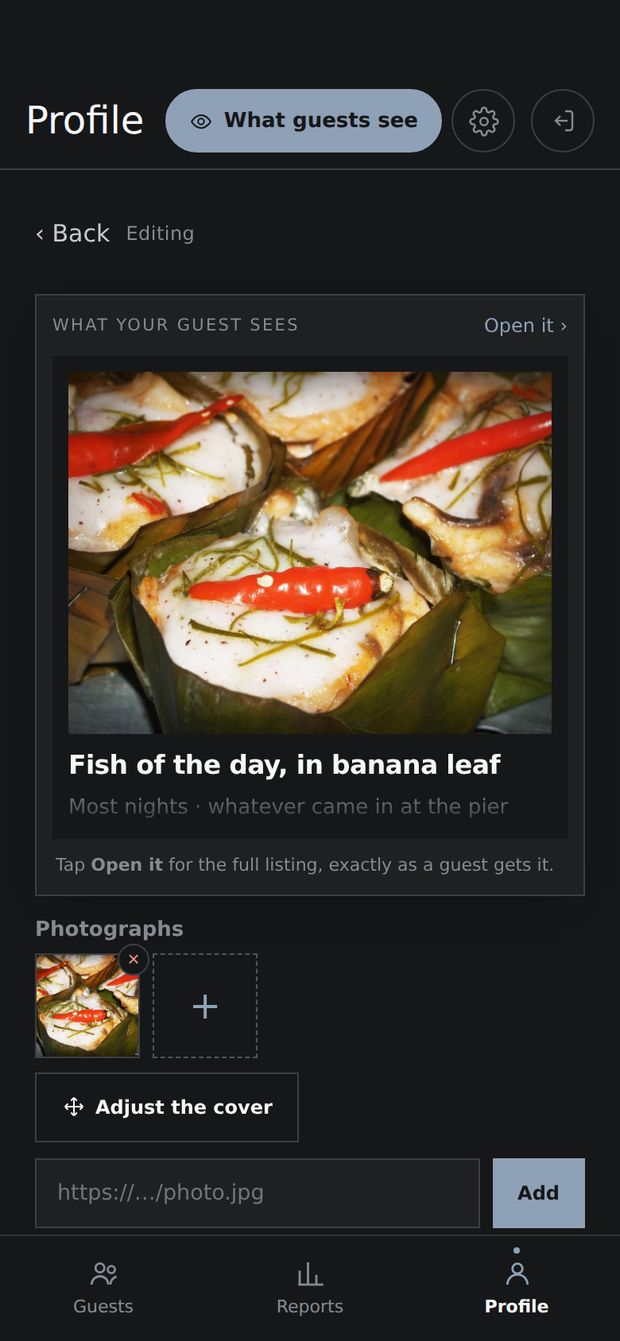
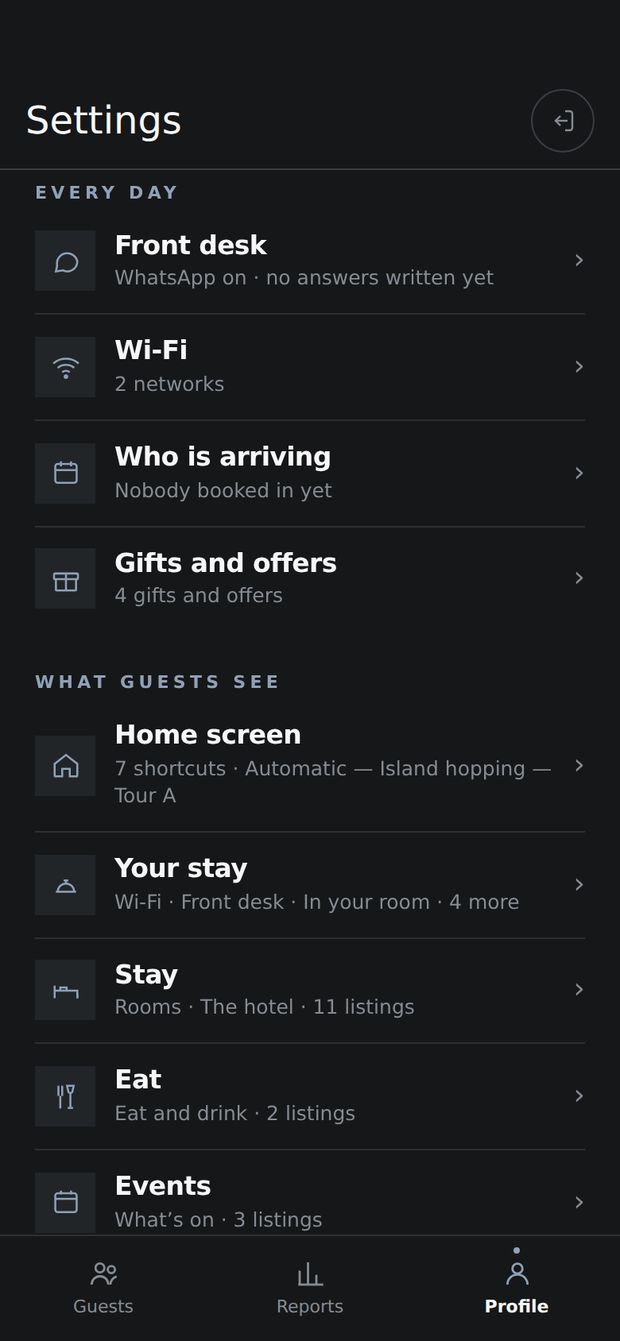
Adding a new listing: it starts with just the name.Editing a dish: its photos and what the guest sees.All the owner's settings: front desk, Wi-Fi, gifts and every screen guests see.

Settings · only you see this

Change it from your phone.

Add a room, a dish or a tour. Tap Publish, and every guest sees it. In the app this is under Profile.

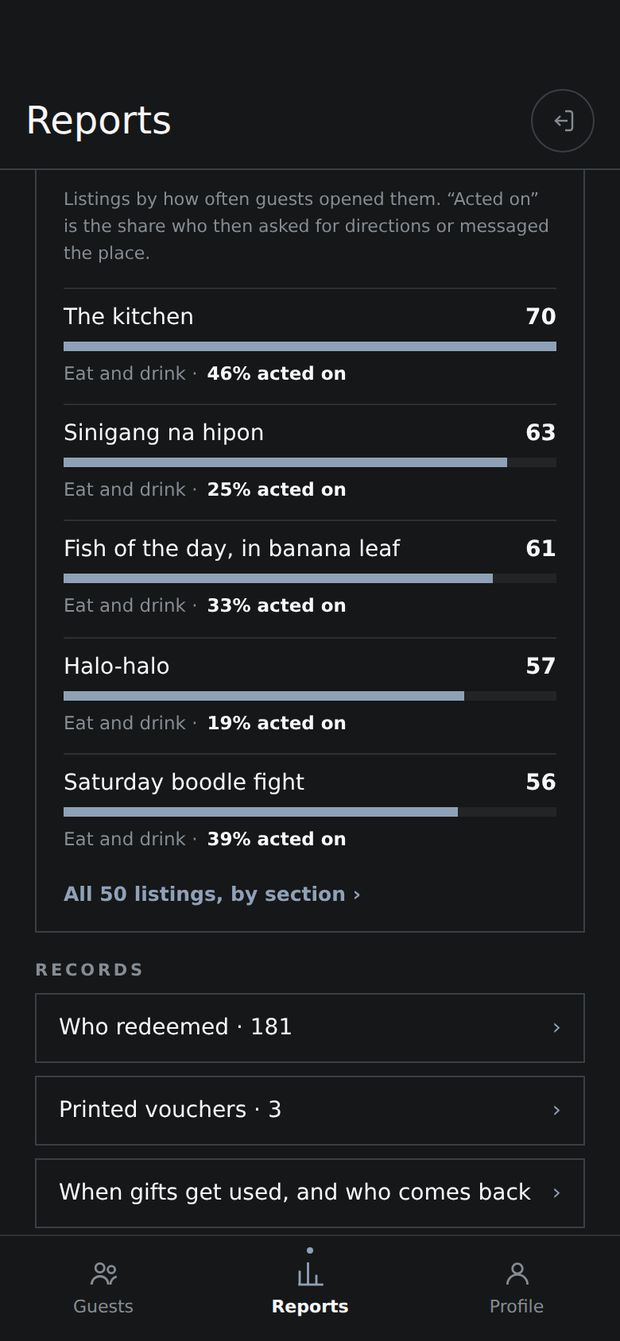
Reports: guests signed up, approved, gifts used, reviews asked.Which listings guests opened most.

Reports · only you see this

See what works.

How many guests signed in, used a free gift, or opened your tours. These numbers are only an example.

1 / 10

Part 2 of 6

Why it matters

The problem, and what the app does about it.

All parts ↑

11 at night. Room 9 wants the Wi‑Fi, a boat tomorrow, and dinner.

Your phone rings. Or they book a boat on the street. With Lakbay, the answer is already on their phone.

15–20%

Booking sites take this from every room.

Your rooms, in your own app. No commission.

₱1,300

One seat on a tour. Sold by you, or by the shop on the street.

Guests book your tours.

0

Guests you can message after they leave.

Every name, email and WhatsApp. Yours.

Part 3 of 6

Try it

The real app, with your hotel’s name and colour on it.

All parts ↑

Try it — this is the real app

See it with your name on it.

Pick the kind of place you run, then type its name, pick your colour and add your logo. The phone is the live app your guests would open — tap around in it.

Which one are you?

Your colour

Your logo

A logo on a see-through background looks best. It stays on your screen — nothing is uploaded.

Live app — tap around
Tap around · Kanlungan is a sample hotel

Every colour is checked for contrast, so it stays readable on a phone. Your real app gets the same check.

Switch it into 한국어, 中文, Français, Deutsch or Español from the top of the app. In your own app, one tap of Translate does the same for your rooms, tours and menu.

Part 4 of 6

Price, and how you start

One price set by your rooms, then three steps to go live.

All parts ↑

One price, set by your rooms.

Everything is included, with no commission. Whatever size you are, this costs under three seats a month on an island-hopping tour, at about ₱1,300 a seat.

Up to 19 rooms

₱1,000a month

Less than one seat a month.

Ask about this

20–30 rooms

₱1,500a month

A little over one seat a month.

Ask about this

31–50 rooms

₱2,500a month

About two seats a month.

Ask about this

51 rooms and up

₱3,500a month

Under three seats a month.

Ask about this

Hostels: each dorm counts as one room.

  • ₱18,000 to set up, once. Or, up to 19 rooms, ₱6,000 now and ₱1,000 a month for a year.
  • Monthly starts 30 days after handover. Your first month is for filling it in.
  • Yearly: pay for 10 months. ₱10,000 to ₱35,000 a year, by your rooms.
  • Stop when you like. One month’s notice.

Our first resort and first hostel: a lower setup fee, and from 20 rooms a lower monthly, for good. Ask if it is still open

Your own sum

Type your own numbers.

More about the price

Setting it up: ₱18,000, once. Half when you say yes, half at handover. Up to 19 rooms you can spread it instead: ₱6,000 when you say yes, then ₱1,000 a month for a year. Your app in your colours, on your own Google account, with your Wi-Fi and front-desk WhatsApp set, the room QR codes, and thirty minutes together on your phone. You add your rooms and tours yourself. The same at any size.

Pay yearly and you pay for ten months. ₱10,000, ₱15,000, ₱25,000 or ₱35,000.

The founding price (our first resort and first hostel) is a lower setup fee, and from twenty rooms a lower monthly too, kept for good.

Nothing else to pay. No hosting bill, no charge per guest, no commission on what a guest books.

Stop when you like. One month’s notice. Your guest list and content are in your own Google account, and you can download all of it.

Check the numbers yourself. Your Reports page shows how many guests opened your tours and how many then messaged your desk.

Hostels count each dorm as one room, the way you list them online.

One hotel, one app. More than one place? Each gets its own. Tell me how many and we will work out the price.

Everything in the app

What your guest gets

  • Room QR straight into the app — nothing to download
  • One WhatsApp button to your front desk
  • Your Wi-Fi networks on the first screen, copied with a tap
  • Your rooms, dining, tours, transport and policies — only the parts you have
  • Every listing opens full-screen, photograph first, and swipes to the next
  • Gifts they use with a code at your desk or bar
  • What’s on — your events, while they run
  • Check-in details before they travel, and a code for the desk
  • Installs to the home screen and works offline after the first open
  • Seven languages: English, 한국어, 繁體中文, 简体中文, Français, Deutsch and Español, with your content translated in one tap

What you run it with

  • A guest list you own — name, email, WhatsApp — with CSV export
  • One tap to ask a departed guest for a Google review
  • Edit rooms, photos, gifts and contacts from your phone
  • Publish, and every guest’s app updates at once
  • Your own colour and corners, changed from your phone
  • Front-desk and bar screens, each with its own PIN
  • A dashboard of what was redeemed and what guests open
  • Your arrivals — typed, or pasted from your booking system’s export
  • Your guest list, content and photos in your own Google account
  • Bot protection on sign-ups

Three steps. No IT person needed.

  1. 1

    Message me your number of rooms.

    I usually reply the same day, with your price and a date. Asking is free.

  2. 2

    I build it. You add your rooms.

    Your colours, Wi-Fi and WhatsApp are already in. Then 30 minutes together on your phone.

  3. 3

    A QR code goes in every room.

    Printed once your Wi-Fi and three rooms are in. No guest sees an empty app.

Part 5 of 6

Straight answers

What it does not do, and what owners ask.

All parts ↑

Straight answers, before you ask.

What it does not do

  • It does not sell rooms. Keep selling them where you do now. This is for guests who have already booked.
  • It never changes your booking system. You type or paste tomorrow’s arrivals.
  • No payments, no chat inside it. Guests message your desk on WhatsApp.
  • It does not send emails for you. You get the guest list. You decide what to send.
  • It does not send alerts to guests’ phones. They see it when they open it. Their requests reach your desk on WhatsApp.

What owners ask

Is it for my place?
Yes, if you own one resort, hotel or hostel, of any size, and the decisions are yours. A chain with its own systems is probably not for you. Hostels: each dorm counts as one room.
Will my guests open it?
Yes, for the Wi‑Fi password. It is the first thing they see. Nothing to download: the QR code in the room opens it.
I have no booking system. Is that a problem?
No. That is normal here. You type tomorrow’s arrivals in, or paste them from a spreadsheet. If you use Cloudbeds, tell me: the link to read it is ready, but no hotel uses it yet.
Which languages does it speak?
English, Korean, Traditional and Simplified Chinese, French, German and Spanish. One tap translates your rooms, tours and menu, and you can fix any phrase yourself.
Am I locked in?
No. One month’s notice, no contract. You can download your guest list and content any time.
What if you disappear?
Your guest list, content and photos are in your own Google account. They are yours, whatever happens to me. The app in your rooms runs on my service, and I keep it running for as long as you are a client.
More questions
I already have a website. Do I throw it away?
Keep it if you like it. If nobody updates it, this can replace it, and you stop paying for it.
I run two places. Can they share one app?
No. Each hotel gets its own app, with its own colours and its own guest list.
How long does it take?
About a day to build, after you say yes. Then 30 minutes together on your phone. You add the rest when your photos are ready. I build one hotel at a time, so ask me for a date.
What about my guests’ privacy?
Nothing is saved until a guest ticks the consent and privacy boxes. They can look around without signing up. What they give goes into your own Google account. The privacy page says exactly what passes through my service.

Part 6 of 6

Who you deal with

Who builds it, and how to start.

All parts ↑

One person. One hotel at a time.

I build every app myself, and I answer every message. It already runs at Devayn’s Inn in El Nido, my mother’s inn, with real guests.

  • Your guest list stays yours. It is saved in your own Google account (like your Gmail), connected at setup. Download it to your phone or computer any time.
  • Leave when you like. One month’s notice. You take everything with you.
  • See it before you pay. Try it with your hotel’s name, or look at Devayn’s Inn’s real app.

Tell me how many rooms you have.

I usually reply the same day, with your price and a date. Asking is free.